In short
- End-to-end encrypted documents: the server cannot see what you write.
- Real-time group editing and share links, just like Google Docs.
- No account required, although a free account keeps your documents safer.
It’s for you if…
- You care about the privacy of what you write and do not want documents tied to your Google account.
- You write sensitive texts in a group: minutes, reports or projects for an association.
- You want an open-source tool that can also be installed on your own server.
Better pick something else if…
- You depend on the integration with Gmail, Drive and Calendar.
- You make heavy use of AI writing suggestions or Google Docs add-ons.
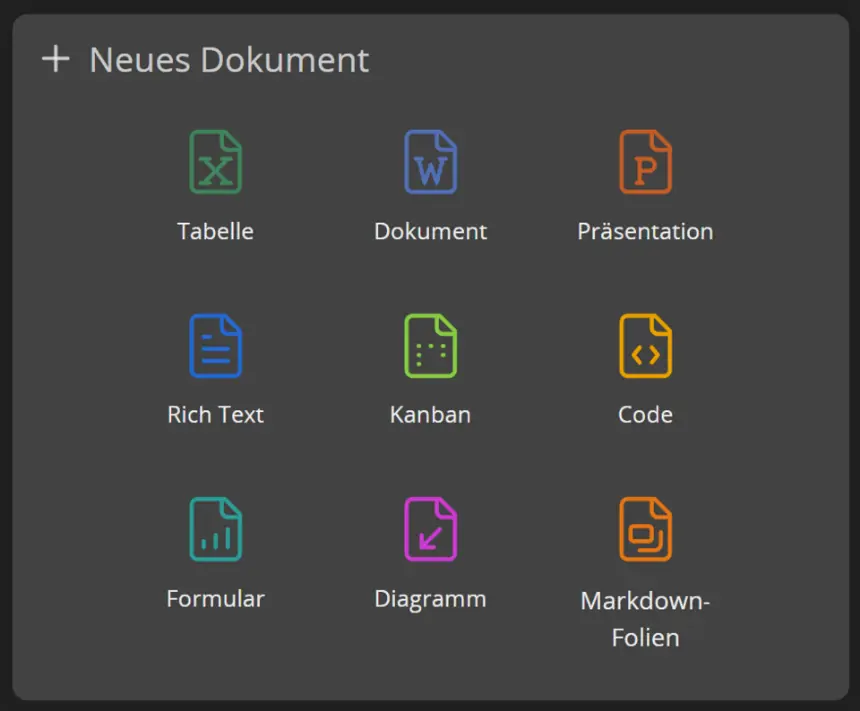
From Google Docs to CryptPad: equivalents
| Google Docs | CryptPad |
|---|---|
| Google Doc | Rich text or document pad in CryptPad |
| Share with a link | Share with an edit or view-only link |
| Google Drive | CryptDrive, your encrypted drive |
| Comments | Comments in the document |
| Version history | Document history |
| Sheets and Slides | CryptPad spreadsheets and presentations |
Step by step
Create your account
From cryptpad.org, choose an instance and create a free account. You can try it without one, but with an account your documents stay in your CryptDrive. Keep your password safe: because everything is encrypted, it cannot be recovered if you lose it.
Download your documents
In Google Docs, open each document and use File > Download > Microsoft Word (.docx). If there are many, Google Takeout downloads your whole Drive at once.
Upload them to CryptPad
Drag the files into your CryptDrive, or create a new document and import them from its menu. Check the formatting: complex tables may need a touch-up.
Share with your team
Use the share button to create an edit or view-only link. Whoever receives it can work with you even without an account.
Organise your drive
Create folders in CryptDrive and tag important documents. For teamwork, create a team with its own shared drive.
Files and formats
CryptPad imports and exports .docx and other common office formats. To bring your documents over, download them from Google Docs as .docx and upload them. You can export them again whenever you like, so you are not locked in.
What you won’t find
- A forgotten password cannot be reset: the encryption makes the data unrecoverable.
- Free storage is limited on the official instance.
- It is designed to be used online: it is not a desktop application.
Tips
- Save your password in a manager such as Bitwarden before uploading anything important.
- To share for reading only, use the view link: nobody can change the original.
- For a throwaway document, CryptPad pads work without an account and expire if nobody uses them.
Frequently asked questions
Can CryptPad read my documents?
No. Content is encrypted in your browser before it is sent, and the key never reaches the server.
Does it open my Word files?
Yes. You can import .docx files and export them again. Check documents with a lot of formatting.
Do other people need an account?
No. Just send them the document link.
Independent: we have no commercial relationship, sponsorship or affiliation with Google Docs or with these alternatives, and nobody pays us to recommend them. Links go to their official websites and are not affiliate links; the site is funded only by Google AdSense ads, which don't influence the selection. Learn more.
More guides
- How to switch from Google Sheets to LibreOffice Calc
- How to switch from Google Slides to LibreOffice Impress
- How to switch from Visio to diagrams.net (draw.io)
- How to switch from Microsoft Project to ProjectLibre
- How to switch from Word to LibreOffice Writer
- How to switch from Excel to LibreOffice Calc