In short
- Free and with no account, in the browser or as a desktop app.
- It opens Visio .vsdx files, sometimes with touch-ups.
- You choose where to save: your computer, OneDrive, Google Drive or GitHub.
It’s for you if…
- You make flowcharts, org charts, UML or network diagrams.
- You open Visio now and then and the subscription is not worthwhile.
- You want to share diagrams with people who do not have Visio.
Better pick something else if…
- Your diagrams are connected to Excel data or have macros.
- You depend on very specific Visio templates or technical libraries.
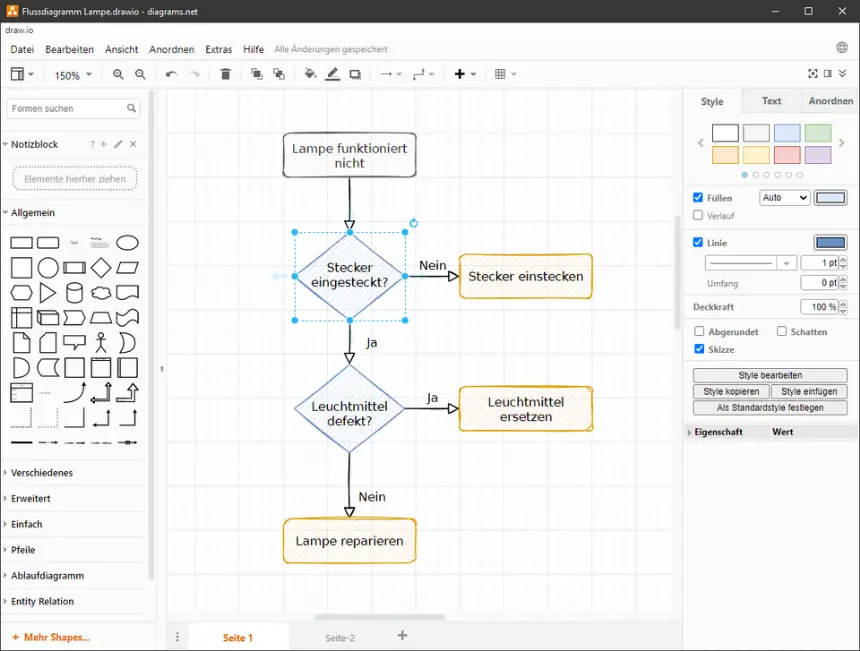
From Visio to diagrams.net (draw.io): equivalents
| Visio | diagrams.net (draw.io) |
|---|---|
| Shape gallery | Shapes panel and More Shapes |
| Connectors | Self-adjusting connectors |
| Templates | Templates when creating a diagram |
| Pages | Page tabs |
| Layers | Layers |
| .vsdx file | .drawio file, opens .vsdx |
| Data-linked graphics | No complete equivalent |
| Export to PDF | Export to PDF, PNG or SVG |
Step by step
Open the app
Go to app.diagrams.net or download the desktop version from drawio.com. You do not need to sign up.
Choose where to save
Select your computer or a cloud such as OneDrive or Google Drive. It is an important decision: if you choose your device, you will have no automatic backup.
Open your Visio files
Use File > Open or drag the .vsdx to the window. If you have an old .vsd, open it and save it as .vsdx in Visio first.
Check the diagram
Check shapes, connectors, text and fonts. Very specialised shapes may look different or arrive as images.
Turn on more shapes
Open More Shapes, at the bottom left, and turn on the libraries you use: UML, BPMN, AWS, Azure or Cisco, among others.
Save and export
Save as .drawio and export to PDF, PNG or SVG to share. You can embed the diagram in the PNG and edit it again later.
Files and formats
diagrams.net imports .vsdx and other formats such as Gliffy or Lucidchart, and saves as .drawio, an open XML-based format. It exports to PDF, PNG, JPEG, SVG and HTML. If your old files are .vsd, they must first be converted to .vsdx. Always keep your Visio originals.
What you won’t find
- Complex diagrams may need touch-ups after import.
- No data-linked graphics or Visio macros.
- Collaborative editing depends on where you save the file.
Tips
- Export to PNG or SVG with the diagram embedded: the same image can be reopened and edited.
- Create your own libraries with the shapes you use often.
- In the desktop app, your files do not leave your computer: useful for internal diagrams.
Frequently asked questions
Does diagrams.net open Visio files?
Yes, .vsdx files. Complex diagrams may need touch-ups. Old .vsd files are best converted first.
Do I have to create an account?
No. You can use it without signing up and save diagrams on your computer.
Are draw.io and diagrams.net the same?
Yes. It is the same program. It changed its name over time, and both names are still in use.
Independent: we have no commercial relationship, sponsorship or affiliation with Visio or with these alternatives, and nobody pays us to recommend them. Links go to their official websites and are not affiliate links; the site is funded only by Google AdSense ads, which don't influence the selection. Learn more.