In short
- Many .m scripts work as they are or with small changes.
- Octave Forge packages replace some toolboxes.
- No Simulink or App Designer, and slower in intensive loops.
It’s for you if…
- Your code mainly uses matrices, numerical functions and plots.
- You are a student and no longer have a MATLAB licence.
- You want to keep using your scripts without paying for a licence.
Better pick something else if…
- You depend on Simulink or specialised toolboxes.
- Your code needs a lot of speed or uses App Designer: also look at Python or Julia.
From MATLAB to GNU Octave: equivalents
| MATLAB | GNU Octave |
|---|---|
| .m files | .m files |
| Command Window | Command window |
| Toolboxes | Octave Forge packages |
| .mat files | .mat files with save and load |
| plot and figure | plot and figure |
| MEX | mkoctfile --mex |
| Simulink | No equivalent: look at Xcos in Scilab |
| App Designer | No equivalent |
Step by step
Install Octave
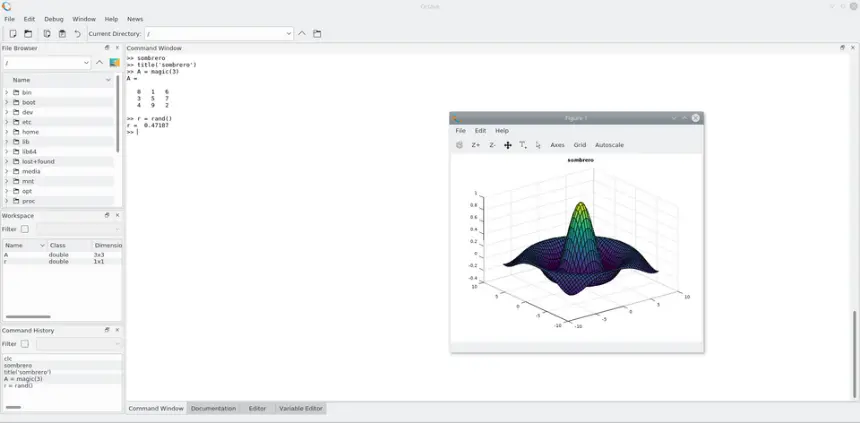
Download it from octave.org. It includes a graphical interface with an editor, command window and variable browser, very similar to MATLAB’s.
Open your project
Copy your folder and open it in Octave. Add subfolders with addpath if your code needs them.
Run a script
Start with a simple one and note the errors. They are usually missing functions. Octave has its own syntax, such as # for comments or != for not equal, but it also accepts MATLAB’s.
Install the packages you need
If a function is missing, find the package and use pkg install -forge followed by its name, for example signal or statistics. Then load it with pkg load name at the start of the script.
Check the results
Compare with a result you already have from MATLAB. Some functions use different algorithms or default values, and that can change decimals.
Replace what is missing
For anything that does not exist, write your own version or look for alternatives. For Simulink, you can look at Xcos in Scilab.
Files and formats
Octave runs .m files and reads and saves .mat files with the load and save commands. Use save -v7 if you want the file to open in MATLAB too. Simulink files (.slx) and App Designer apps (.mlapp) do not open. Plots are exported with print to PNG, PDF and SVG.
What you won’t find
- No Simulink or App Designer.
- Fewer toolboxes and specialised functions than MATLAB.
- Long loops can be considerably slower: vectorise your code whenever you can.
Tips
- When writing new code, stick to common syntax if you have to share it with MATLAB users.
- Vectorise loops: it makes an even bigger difference in Octave than in MATLAB.
- If your project grows, consider moving part of it to Python with NumPy and SciPy, or to Julia.
Frequently asked questions
Will my MATLAB code work in Octave?
Often yes, especially code that uses basic numerical functions. Toolboxes and Simulink are the main obstacles.
Does it have the same toolboxes?
No. Octave Forge offers similar packages, such as signal, control or statistics, but not all the functions.
Can it be used for classes?
Yes. It is very common in engineering and science coursework, although check with your teachers whether they require MATLAB.
Independent: we have no commercial relationship, sponsorship or affiliation with MATLAB or with these alternatives, and nobody pays us to recommend them. Links go to their official websites and are not affiliate links; the site is funded only by Google AdSense ads, which don't influence the selection. Learn more.