In short
- Very similar to TeamViewer: ID, password and direct connection.
- No compulsory account, with the option of your own server.
- On iPhone and iPad you can only control other computers, not be controlled.
It’s for you if…
- You help family or friends with their computers now and then.
- TeamViewer has flagged your use as commercial and limits you.
- You want to control your computers with an open program.
Better pick something else if…
- You manage many computers with reports, permissions and business support.
- You need official support and service guarantees.
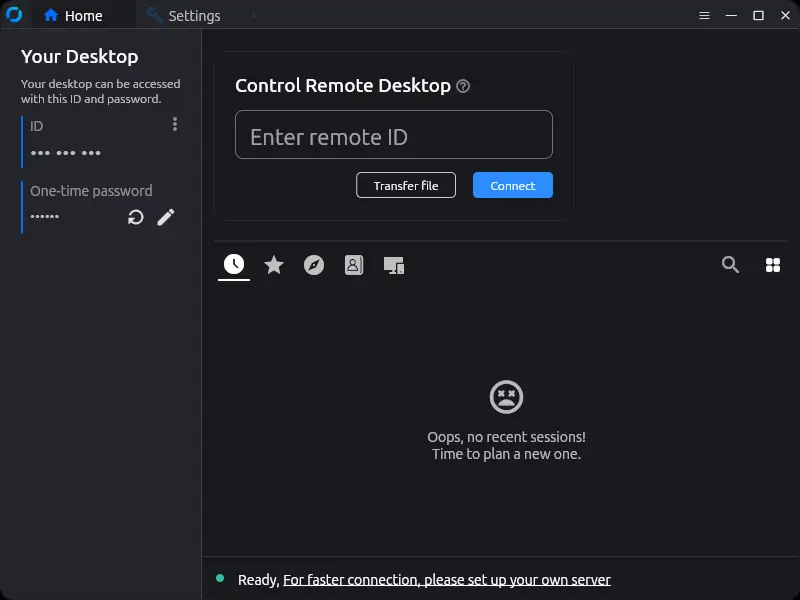
From TeamViewer to RustDesk: equivalents
| TeamViewer | RustDesk |
|---|---|
| TeamViewer ID | RustDesk ID |
| Session password | One-time password |
| Unattended access | Permanent password and installation as a service |
| Computers list | Address book and favourites |
| File transfer | File transfer |
| Chat | Chat during the session |
| TeamViewer servers | Public servers or your own server |
| Management console | Paid Pro version only |
Step by step
Download it on both computers
Install it from rustdesk.com, on both the controlling and the controlled computer. On some systems you can use it without installing.
Connect for the first time
On the remote computer, note its ID and password. On yours, type the ID, press Connect and enter the password.
Grant the necessary permissions
On Mac you will need to allow Screen Recording and Accessibility. On Android, the screen and control options. Without them you will see a black screen or be unable to move.
Set up unattended access
If you need to get in without anyone accepting, install RustDesk as a service and set a long permanent password in the security settings.
Consider your own server
If public servers are slow or you want more control, install the free server on a VPS or at home, and enter its address in each client’s network settings.
Uninstall TeamViewer
Check that everything works. Cancel the renewal if you have one and uninstall it from all your computers.
Files and formats
There are no files to migrate. Your TeamViewer computers list does not move over, so you will have to note each RustDesk ID again. During a session you can send files between computers and use the clipboard. Your own server’s settings can be shared with a key across your clients.
What you won’t find
- On iPhone and iPad you can only control other computers.
- Public servers may be slower or have limitations.
- Central management of computers is in the paid Pro version.
Tips
- Never give your ID and password to someone who phones you: it is a very common scam with these programs.
- Download it only from the official website, as fake copies of remote control programs circulate.
- Use a long, unique permanent password, and change it if you have shared it.
Frequently asked questions
Is RustDesk secure?
It is open source and encrypts connections. Most importantly, do not share your access with strangers, and use strong passwords.
Do I need an account?
No. The ID and password are enough. An account is optional, to sync the address book.
Can I connect to my iPhone?
No. On iOS, RustDesk can control other computers, but it does not allow the iPhone to be controlled.
Independent: we have no commercial relationship, sponsorship or affiliation with TeamViewer or with these alternatives, and nobody pays us to recommend them. Links go to their official websites and are not affiliate links; the site is funded only by Google AdSense ads, which don't influence the selection. Learn more.