In short
- With an IMAP account, your mail appears by itself when you add it.
- It imports data from Outlook, although PST files need a little more care.
- A calendar is included, but syncing with Exchange may require an add-on.
It’s for you if…
- You use email on a computer and want a program with no ads.
- You have several accounts with different providers.
- You want to stop depending on Microsoft 365 just for email.
Better pick something else if…
- Your company uses Exchange with shared calendars, Teams meetings and strict rules.
- You need deep integration with Word, Excel or Teams.
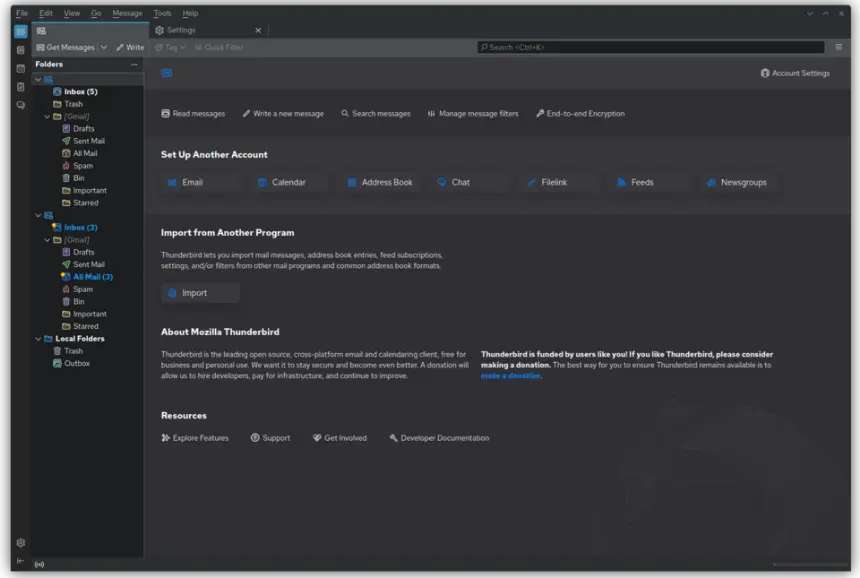
From Outlook to Thunderbird: equivalents
| Outlook | Thunderbird |
|---|---|
| Inbox | Unified or per-account inbox |
| Rules | Message filters |
| Calendar | Built-in calendar |
| Contacts | Address book |
| Tasks | Tasks |
| .pst file | Local folders |
| Signatures | Signature in account settings |
| Add-ins | Thunderbird add-ons |
Step by step
Make a backup
In classic Outlook, use File > Open & Export > Import/Export to save your mail to a .pst. Keep that copy even if you do not use it.
Install Thunderbird
Download it from thunderbird.net. There is also an Android version.
Add your account
Enter your name, email address and password. Thunderbird detects the settings, and with Microsoft accounts it opens the sign-in window. On IMAP, your messages and folders appear by themselves.
Import local mail
If you have mail only on your computer, use Tools > Import with Outlook installed on that machine. If you only have a PST and no Outlook, you will need to convert it first with another tool.
Move calendar and contacts
Export contacts from Outlook as .csv and calendars as .ics, and import them into Thunderbird. Company accounts may need an add-on to sync.
Rebuild your rules and signature
Create your filters again in Tools > Message Filters and paste your signature into the account settings.
Files and formats
IMAP accounts need no import: the mail stays on the server. Thunderbird does not open a .pst directly without Outlook on the computer: converters to MBOX exist for that. Contacts move as .csv or .vcf and calendars as .ics. Thunderbird stores local mail in MBOX format.
What you won’t find
- Importing PST files may require Outlook installed or a converter.
- Exchange works natively for email, but company calendar and contacts may require add-ons.
- No Teams meetings or Microsoft 365 integration.
Tips
- With company accounts, check with your IT department first: some policies block other email clients.
- Turn on the unified folders view if you have several accounts.
- Thunderbird includes OpenPGP encryption, in case you need to send encrypted email.
Frequently asked questions
Can I keep using my Outlook.com email?
Yes. Thunderbird works with Outlook.com and Microsoft 365 by signing in with your Microsoft account.
Does it open PST files?
Not directly. With Outlook installed you can import from it; otherwise you will have to convert the PST to MBOX with another tool.
Does it work with Exchange?
Recent versions add Exchange accounts for email without add-ons. Company calendar and contacts may need an add-on.
Independent: we have no commercial relationship, sponsorship or affiliation with Outlook or with these alternatives, and nobody pays us to recommend them. Links go to their official websites and are not affiliate links; the site is funded only by Google AdSense ads, which don't influence the selection. Learn more.