In short
- It is free with your Google account, with usage limits.
- You can export your ChatGPT chats and copy your custom instructions.
- Gemini’s Gems partly replace your custom GPTs.
It’s for you if…
- You use an assistant now and then, to write, summarise or ask questions.
- You already live in Google: Gmail, Drive, Docs and Calendar.
- You pay for Plus but rarely make use of its higher limits.
Better pick something else if…
- You depend every day on high limits for the most advanced models.
- Your workflows rely on specific GPTs from the ChatGPT store.
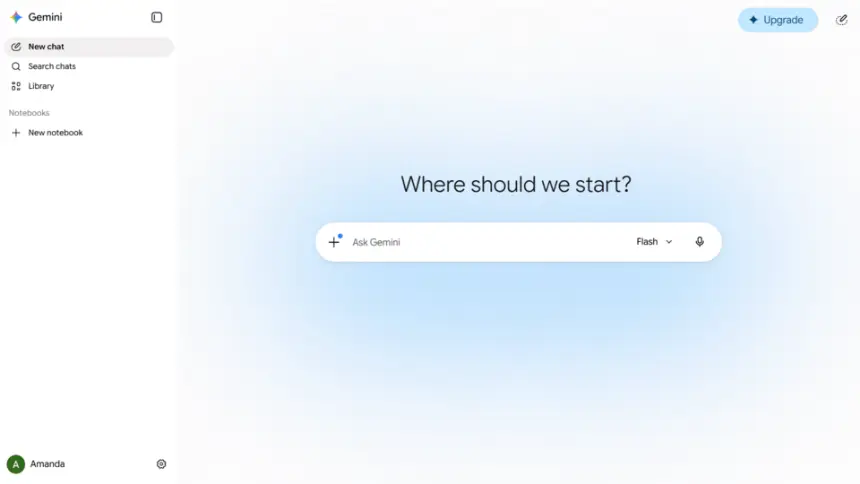
From ChatGPT Plus to Gemini: equivalents
| ChatGPT Plus | Gemini |
|---|---|
| Custom instructions | Instructions for Gemini, in the settings |
| Memory | Memory and personal context |
| Custom GPTs | Gems |
| Canvas | Gemini Canvas |
| Deep research | Deep Research, with limits |
| Create images | Create images in Gemini |
| Connectors | Connections to Gmail, Drive and other Google services |
Step by step
Export your data
In ChatGPT, go to Settings > Data controls > Export data. You will get an email with a .zip containing your conversations. Keep it: it is your copy.
Copy what is useful
Save your custom instructions, what the memory holds and the prompts of your favourite GPTs in a document. They do not move by themselves.
Open Gemini
Open gemini.google.com or the app and sign in with your Google account.
Add your context
Paste your instructions in Gemini’s settings. Google also offers a tool to import memory and chats, but it is not available in every country: if you do not see it, carry on by hand.
Create your Gems
Turn each GPT you used into a Gem: give it a name, paste the instructions and add reference files if needed.
Check your privacy
In your Gemini Apps activity, decide whether to keep your activity. That affects whether your chats can be used to improve the service.
Cancel Plus
After trying Gemini for a few days, cancel the subscription from your account settings. If you subscribed on a phone, do it in the App Store or Google Play.
Files and formats
The ChatGPT export is a .zip with your conversations in HTML and JSON, which you can read in a browser. Files and images you generated are best downloaded separately. Gemini can only import these chats in some countries, so the .zip is your reference archive.
What you won’t find
- The free plan has usage limits that can change.
- GPTs and their actions do not carry over: they must be rebuilt as Gems.
- Importing chats and memory is not available in every country.
Tips
- Do not paste other people’s sensitive data into any AI assistant.
- Always check facts, quotes and figures: every assistant can make mistakes.
- Also try other options with free plans, such as Claude, Microsoft Copilot or Le Chat. Each stands out at different things.
Frequently asked questions
Can I bring my ChatGPT chats to Gemini?
You can always export them. Importing them into Gemini depends on your country: that tool is not available everywhere.
Is Gemini free?
Yes, with a Google account and usage limits. Google also has paid plans with more capacity.
Does Gemini use my conversations?
It may do so to improve its services, depending on your activity settings. Check that option and do not share anything private.
Independent: we have no commercial relationship, sponsorship or affiliation with ChatGPT Plus or with these alternatives, and nobody pays us to recommend them. Links go to their official websites and are not affiliate links; the site is funded only by Google AdSense ads, which don't influence the selection. Learn more.