In short
- Professional scores for free, with Muse Sounds for high-quality playback.
- Your files move over by exporting MusicXML from Sibelius.
- Notes and dynamics carry over well; formatting and some markings need checking.
It’s for you if…
- You write for choir, band, orchestra or classes.
- Your Sibelius subscription is expensive for what you do.
- You want to hear your music with realistic sounds without buying libraries.
Better pick something else if…
- You depend on Sibelius plug-ins or a very specific editorial workflow.
- You copy parts professionally with very tight deadlines and memorised shortcuts.
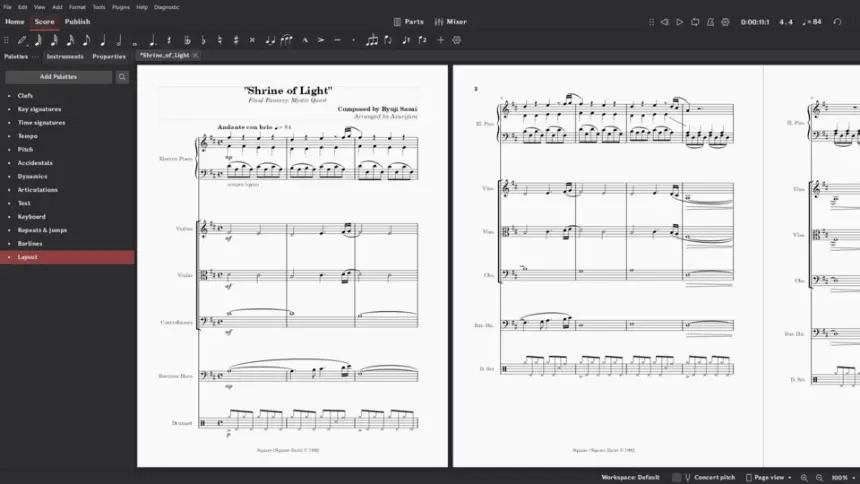
From Sibelius to MuseScore Studio: equivalents
| Sibelius | MuseScore Studio |
|---|---|
| Note input | Note input mode (N key) |
| Keypad | Keys 1 to 9 for durations |
| Dynamic parts | Parts |
| Playback with Sibelius Sounds | Muse Sounds |
| Ideas | No equivalent |
| Plug-ins | MuseScore plug-ins |
| House styles | Format styles |
| Export to PDF | Export to PDF, MIDI, MP3 and MusicXML |
Step by step
Install MuseScore Studio
Download it free from musescore.org. Also install Muse Hub if you want Muse Sounds.
Export from Sibelius
Open each score and use File > Export > MusicXML. Also save a PDF to compare later. Without Sibelius you will not be able to open your .sib files.
Open the file
In MuseScore Studio, open the .musicxml or .xml. Choose whether to keep the original’s system and page breaks.
Compare with the PDF
Check bars, slurs, dynamics and text. Pay special attention to special symbols, repeats and contemporary notation.
Learn note input
Press N to enter note input mode, choose the duration with the numbers and type the note with its letter. The numbers differ from Sibelius’s keypad.
Create parts and export
Check the parts in the relevant panel and export to PDF. Save as .mscz, MuseScore Studio’s own format.
Files and formats
MuseScore Studio does not open .sib. The bridge is MusicXML, which Sibelius exports. It saves as .mscz and exports to PDF, MusicXML, MIDI, MP3, WAV and other formats. Keep your original .sib files while you have access to Sibelius. MusicXML carries notes and symbols, but not plug-ins or all layout settings.
What you won’t find
- It does not open .sib: you need Sibelius to export to MusicXML.
- Sibelius plug-ins and some formatting do not carry over.
- Muse Sounds needs a separate download, and some libraries take up a lot of space.
Tips
- Export all your scores to MusicXML before your Sibelius subscription ends.
- Create your own templates so you do not repeat settings for every piece.
- musescore.com is a commercial sheet music site separate from the program: the program is downloaded at musescore.org.
Frequently asked questions
Does MuseScore Studio open Sibelius files?
Not directly. Export from Sibelius as MusicXML and open it in MuseScore Studio.
Is it really free?
Yes. The program is free and open source, and Muse Sounds can also be downloaded for free.
Is it good for sending to print?
Yes. It exports professional-quality PDFs. It is a good idea to check margins and fonts for each job.
Independent: we have no commercial relationship, sponsorship or affiliation with Sibelius or with these alternatives, and nobody pays us to recommend them. Links go to their official websites and are not affiliate links; the site is funded only by Google AdSense ads, which don't influence the selection. Learn more.